
Restore to-dos
Follow the instructions below on how to restore a deleted to-do.
- 1
-
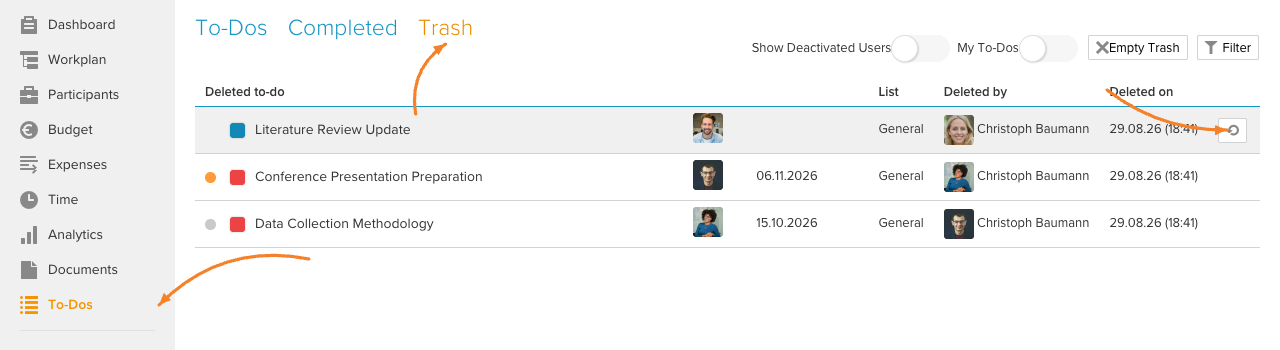
Click To-Dos in Home menu, this will open the "To-Dos" section.
- 2
-
Go to the "Trash" tab, hover over the to-do you want to restore, and click the "Restore" icon.
- 3
-
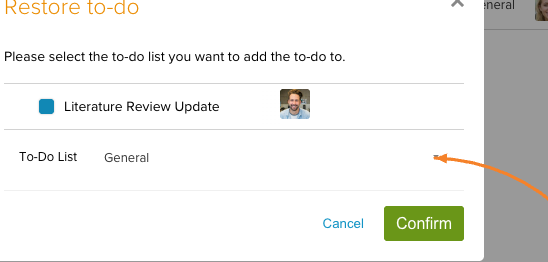
In the dialogue box that appears, click the dropdown to select the to-do list you want to add the to-do to, and then click Confirm.
The to-do moves back to the "To-Dos" tab and is placed at the end of the selected to-do list:

Note: Read here how to create and edit to-dos.