
Update About You information
Your About You information lets other members know who you are and how to reach you. It appears on the User Settings page and includes your photo, name, and any other details you want to share.
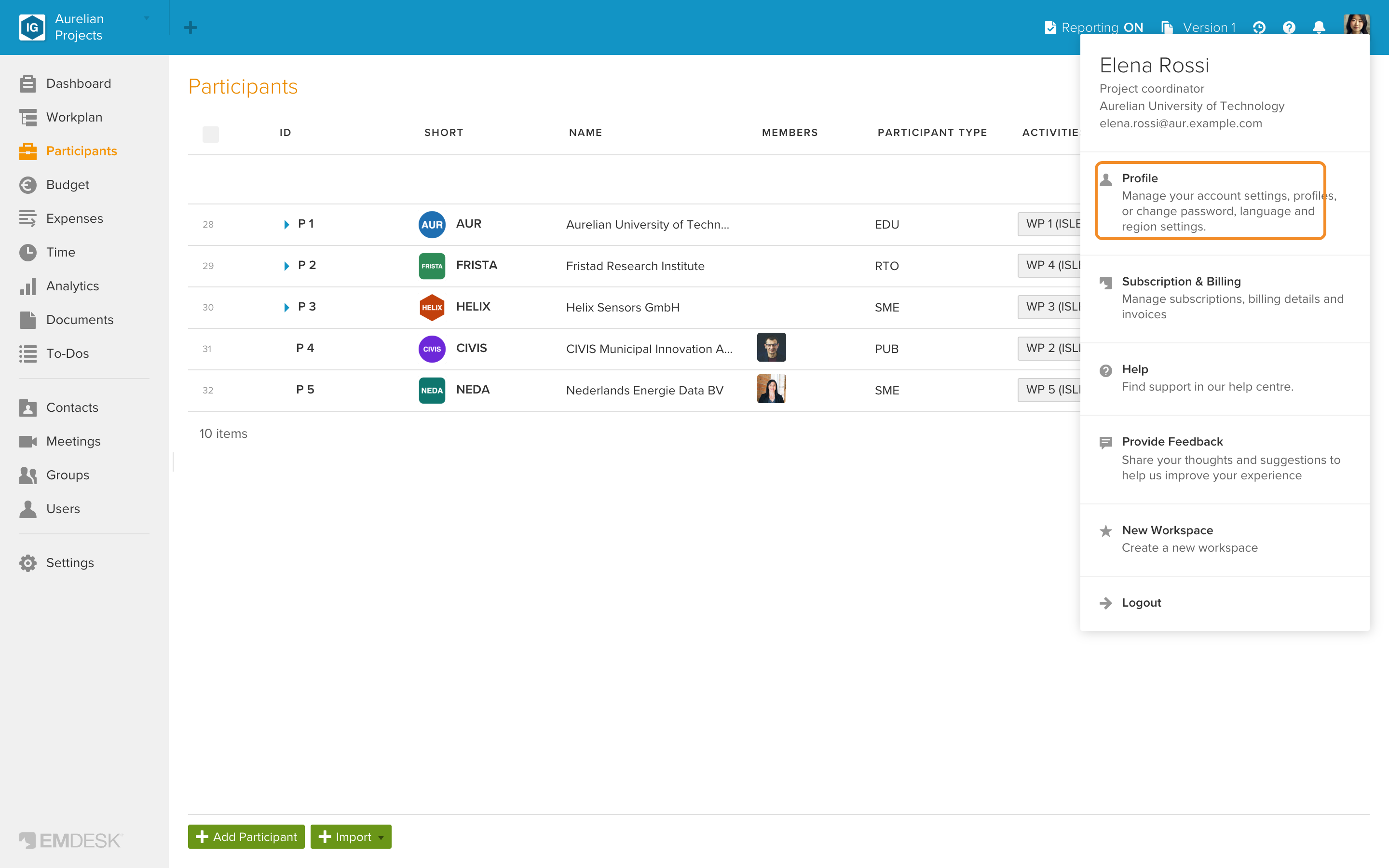
- Click your picture at the top right and select Profile.
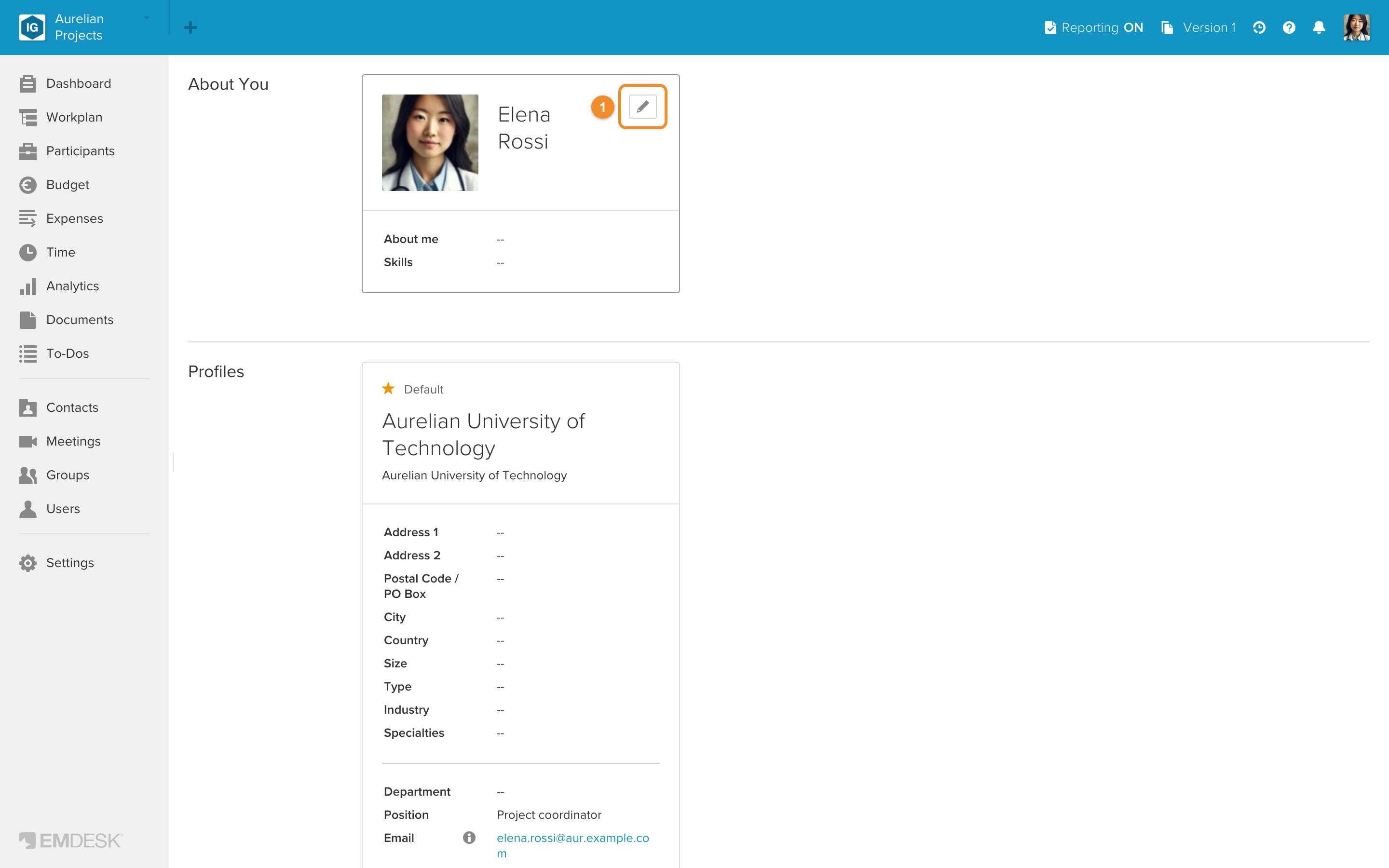
- In About You, click the tile (or its Edit icon) to open the sidebar.
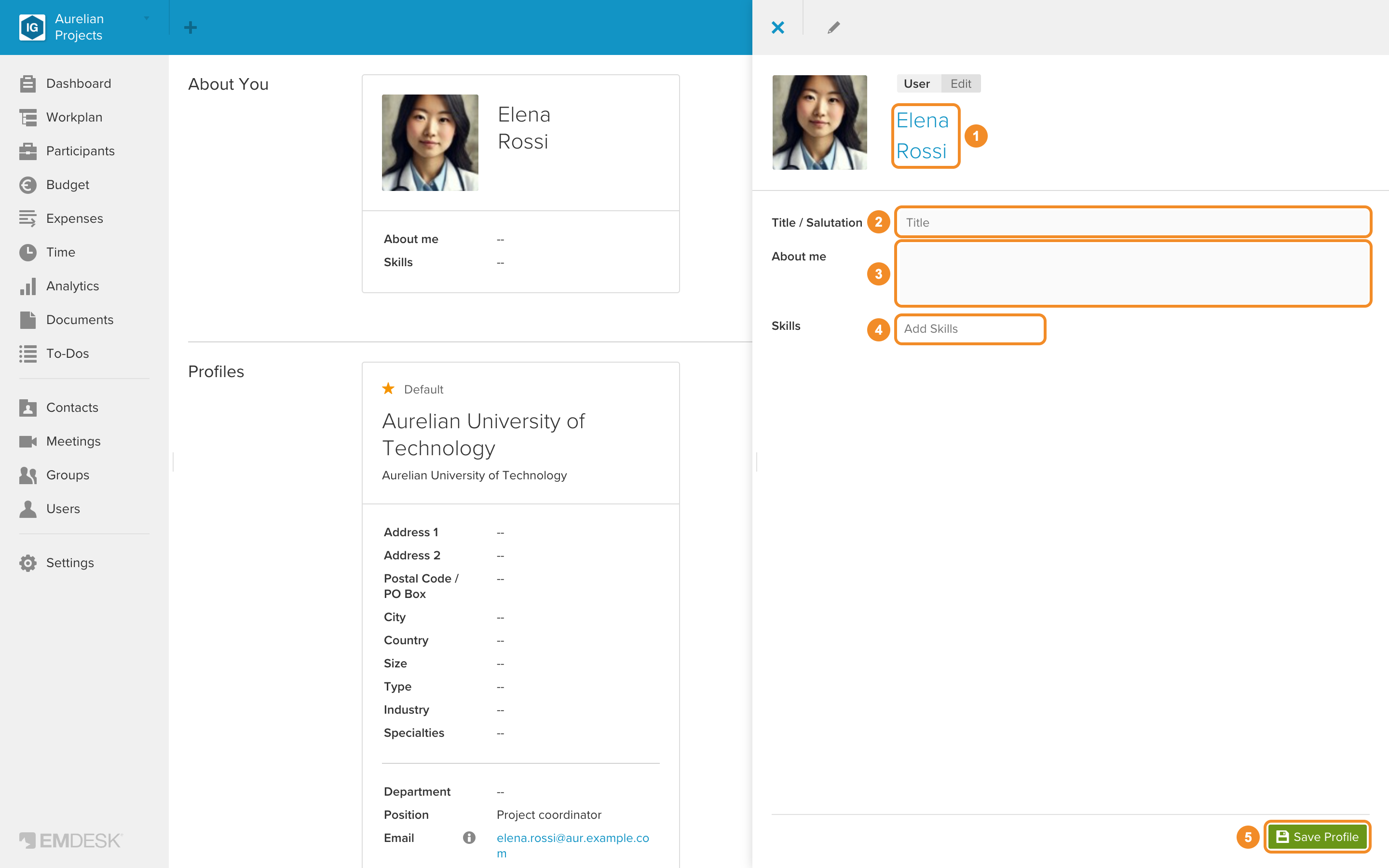
- In the sidebar, set the following:
| Photo | Click Select or drop profile image or drag and drop an image onto the box. See Upload a profile photo. |
| Name | Click the placeholder text at the top and enter your first and last name. |
| Title / Salutation | Your title or salutation. |
| About me | Anything about yourself you want to share. |
| Skills | A tag cloud of things you are good at. |
- Click Save Profile at the bottom of the sidebar.
See also: User account settings.